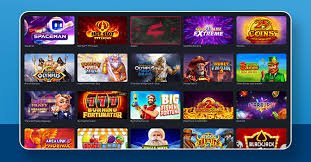
Enjoy 777ko from anywhere in Bangladesh, at any time. Download the Android APK directly, add a browser shortcut on iOS, or play straight from the website — all three options deliver the same quality experience.
777ko is accessible three ways — each just as convenient as the others
Download the APK file directly and install it in just 2 minutes. No Play Store needed. Works on any phone running Android 6.0 or above.
IOS users can open 777ko in Safari and add a shortcut to their home screen for an app-like experience — full-screen mode included.
Use 777ko without downloading anything. Open it directly in Chrome, Firefox, Samsung Browser, or any browser of your choice for the full gaming experience.
Installing the 777ko APK on Android is simple. Just follow the steps below — the whole process takes only 2-3 minutes.
Tap the "Download APK" button above. The file will be saved to your phone's Downloads folder. At just 35 MB, it won't take long.
Go to Settings > Security and enable "Install unknown apps". This only needs to be done once and applies specifically to the 777ko APK.
Open your File Manager or Downloads app, locate the 777ko APK file, and tap it. When prompted for permission, tap "Install".
Once installation is complete, you'll see the 777ko icon on your home screen. Tap it, log in or register, and start playing.
The 777ko APK file is completely safe and free from malware. Only download it from our official site — avoid any third-party sources.
IPhone and iPad users can use 777ko just like a native app via the PWA method.
Open Safari on your iPhone or iPad, type 777ko.onl, and wait for the site to load. Note that this feature does not work on other browsers such as Chrome or Firefox.
Tap the share icon (an arrow pointing out of a box) at the bottom center of your screen. A menu will pop up.
Find and tap "Add to Home Screen" from the popup menu. Rename the shortcut if you like, then tap "Add".
A 777ko icon will appear on your home screen. From now on, tapping it will open 777ko just like a fullscreen app.
Device requirements to run 777ko
| Topic | Android | IOS (Browser) | Desktop Browser |
|---|---|---|---|
| Minimum OS | Android 6.0+ | IOS 13+ | Windows 7 / macOS 10.12+ |
| RAM | 2 GB+ | 2 GB+ | 4 GB+ |
| Storage | 50 MB Free | Not Required | Not Required |
| Internet | 3G / 4G / 5G / WiFi | 3G / 4G / 5G / WiFi | Broadband / WiFi |
| Browser | Chrome / Samsung | Safari (PWA) | Chrome / Firefox / Edge |
| JavaScript | Must Be Active | Must Be Active | Must Be Active |
| App Size | 35 MB APK | N/A | N/A |
A minimum speed of 1 Mbps is enough for slots and casino games. For Live Casino, 5 Mbps or more will give you the best experience.
Keep your phone plugged in during long sessions. Some animations may be limited in low-power mode.
Get more with the app than on the website
Get the latest promotions, bonus offers, and special tournament updates delivered straight to your phone.
Log in quickly and securely with your fingerprint or Face ID — no more typing out your password.
The app uses caching, so it loads faster than a browser and uses less data.
The app and PWA open in full-screen mode, removing the browser bar for a much more immersive experience.
When new features or games are added, the app updates automatically — no manual action needed.
Automatically switches to a dark theme that's easy on the eyes when you're playing at night.
Use the app entirely in Bangla — menus, notifications, and support are all available in Bangla.
Live chat support is accessible directly within the app — no need to open a separate browser.
Internet usage in Bangladesh keeps growing, and most people go online through their mobile phones. With that in mind, the 777ko tech team built a fully mobile-first platform. Whether you're on a lunch break in Dhaka's office district or sitting at a tea stall in Chattogram — 777ko is always with you.
The Android APK method is especially popular because it doesn't require the Play Store and the installation process is straightforward. Most Android users in Bangladesh are already familiar with installing apps this way. At just 35 MB, the 777ko APK downloads quickly even on mobile data.
IOS users get a near-native app experience through the PWA method. Adding 777ko to your home screen from Safari creates a dedicated icon that opens in full-screen mode. iPhone users can enjoy slots, Live Casino, Sports Betting, and all other features without any limitations.
If you'd rather skip any downloading or installation, the easiest option is to open 777ko directly in your browser. Load the site in Chrome or Samsung Browser and every game and feature is ready to use instantly — with the same quality you'd get from the app.
Thousands of players across Bangladesh use the 777ko mobile app every day to enjoy slots, cricket betting, Live Casino, and e-sports. Deposits and withdrawals are fully mobile-friendly — whether you use mobile banking or bank transfer.

Everything you need to know about installing the 777ko app
Download the Android APK or play directly in your browser — both deliver a top-tier gaming experience.